
Welcome to DOT Consortium! Our online platform makes it easy to manage your DOT drug and alcohol testing program, add drivers, order tests, access certificates, and stay on top of compliance requirements, all in one place.
Once you've completed enrollment, you can sign in and start using the platform immediately.
1. Random Pool
The Random Pool section is your central dashboard for managing DOT random drug and alcohol testing. Here, you can view quarterly selections, manage drivers, and access your enrollment certificates.
By default, all new companies are enrolled in our common random testing pool. If you prefer more control over your testing program, contact us to switch to a company-specific pool, where you can manage your own random testing selections and testing percentages while meeting DOT minimum requirements.
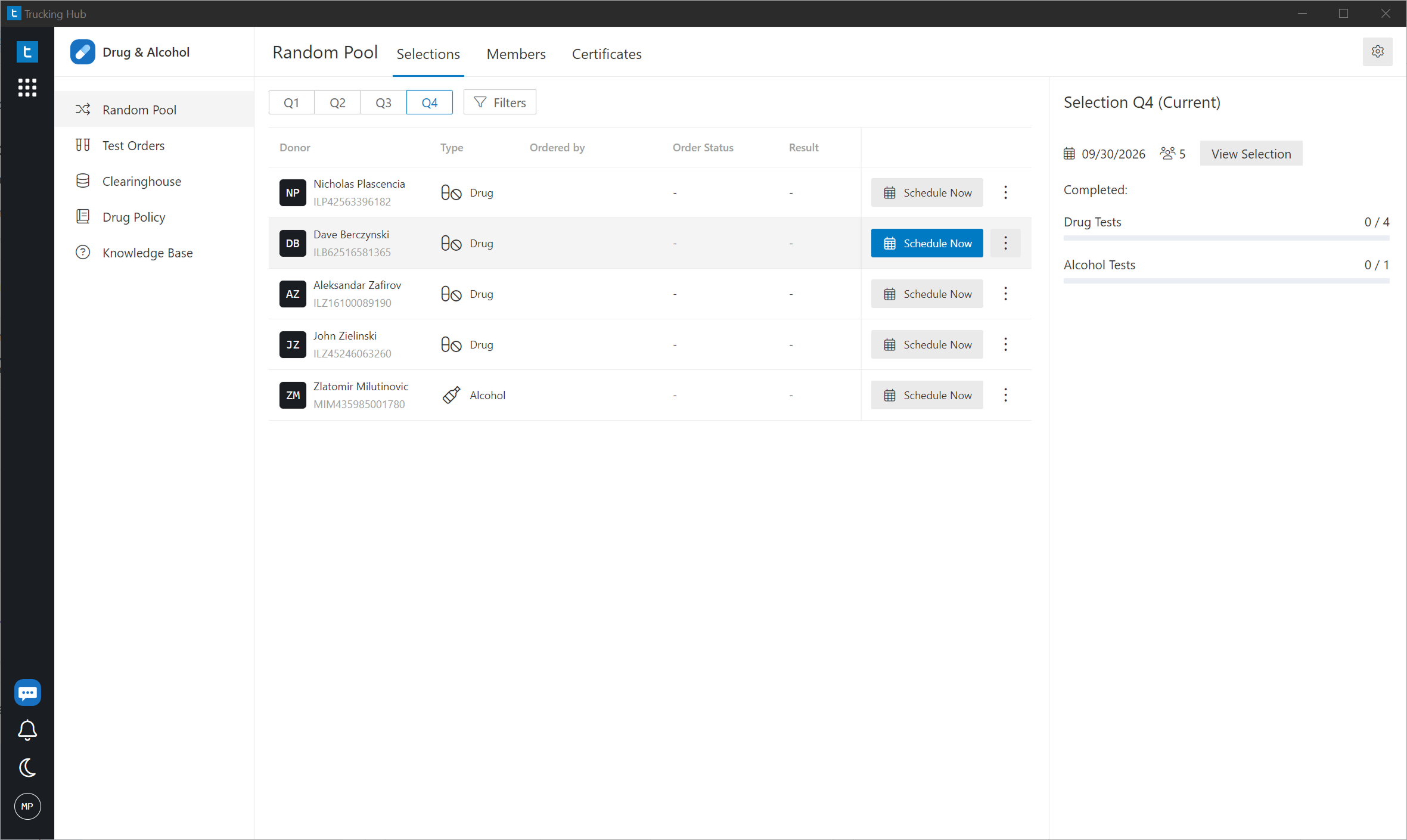
Selections: Quarterly Random Selections
When you open the app, the first screen displays your current quarterly random testing selections.
You'll be able to see which drivers have been selected for testing, their testing status, and the overall progress of the current quarter.
Important for new members: Your selections will initially be empty. Once you're added to the common random testing pool, your selections will appear when the next quarterly selection is conducted.
Members: Add and Manage Drivers
Click the Members tab to view all active drivers enrolled in your random testing pool.
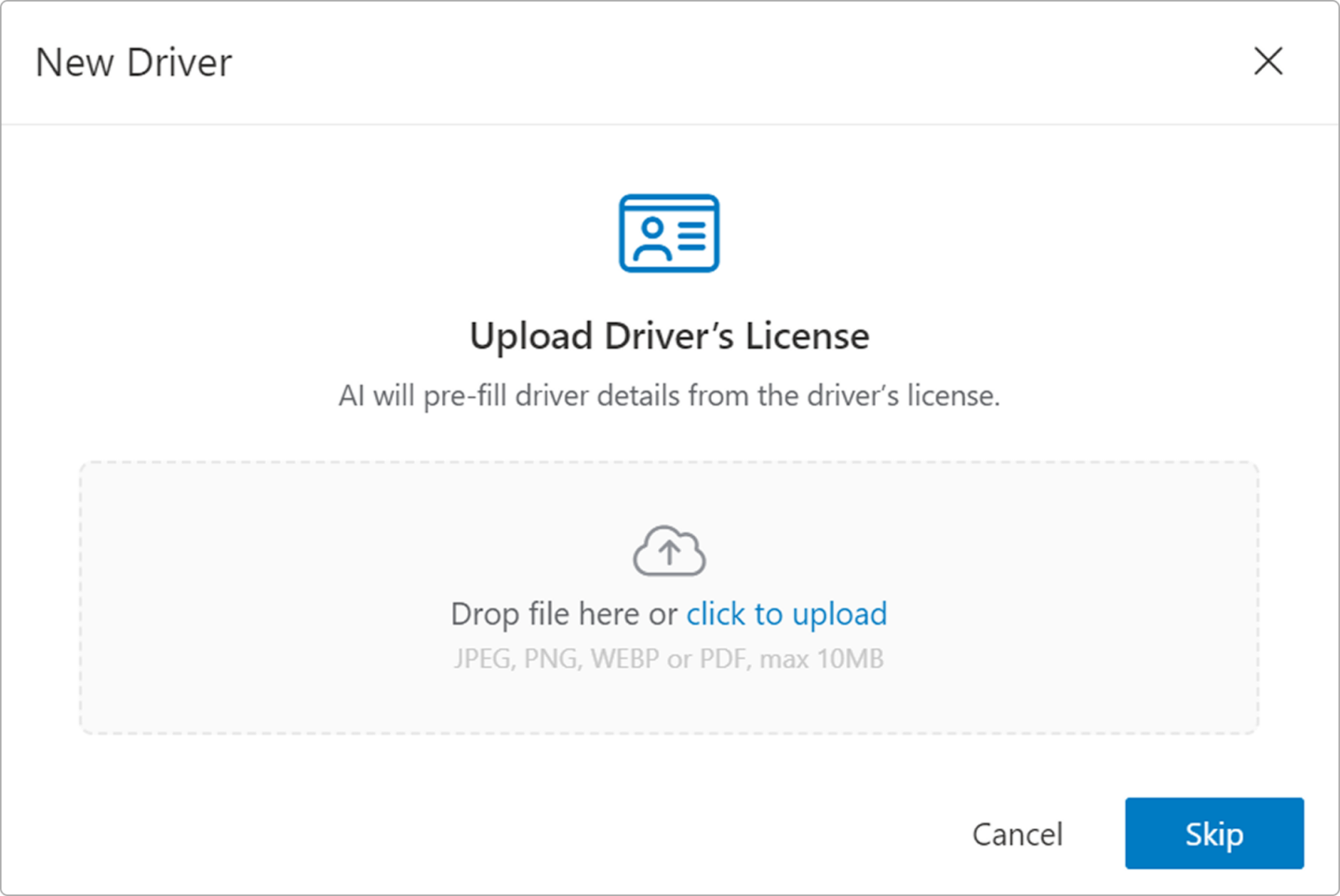
To add a driver, click New Driver in the upper-right corner. Upload a photo or scanned copy of the driver's license (CDL). Our AI automatically extracts the driver's information and fills in the required fields.
Review the information and click Create Driver. That's it! Your driver is added to the system.
Note: Drivers must have a verified negative DOT pre-employment drug test before performing safety-sensitive duties, unless they qualify for an exception under 49 CFR § 382.301(b). If you're unsure whether a driver qualifies for an exception or your drivers are currently enrolled in another consortium, contact us at compliance@dotconsortium.com. We can help transfer their enrollment and determine whether additional testing is required.
Prefer to enter the information yourself? Click Skip to manually complete the form.
Required driver information:
Certificates: Access Your Enrollment Certificates
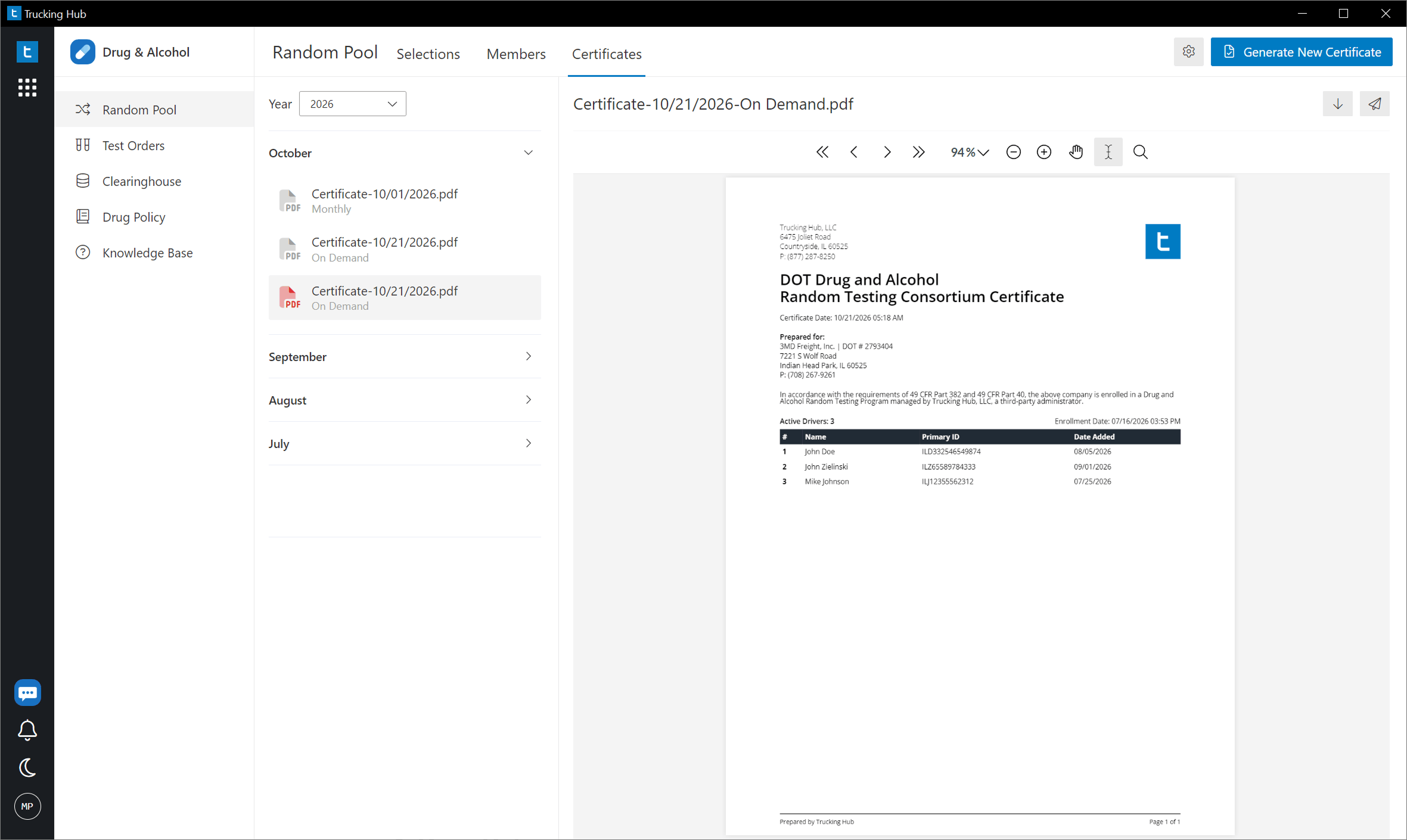
Under Random Pool → Certificates, you can view and download your DOT consortium enrollment certificates.
Your initial enrollment certificate is available instantly after enrollment, so you don't have to wait for paperwork. Updated certificates are automatically generated on the 1st of every month and saved in your account. You can also generate a new certificate on demand whenever you need one. This makes it easy to provide proof of enrollment during DOT audits, inspections or compliance reviews.
2. Test Orders
The Test Orders section lets you order DOT drug and alcohol tests, find nearby collection sites, and track results in real time. It also shows your recent testing orders, including the driver, test type, reason for testing, order status, and results.
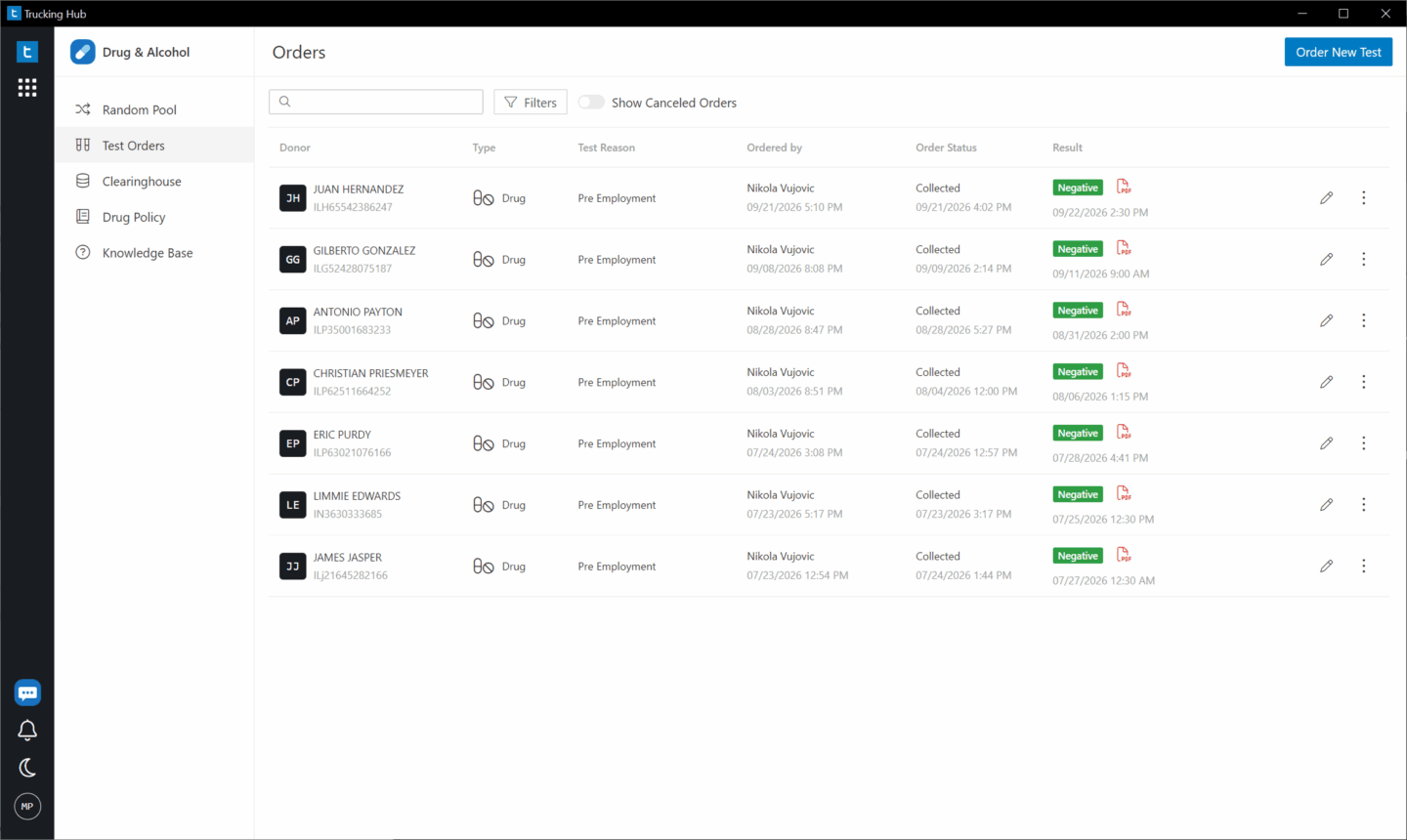
You can follow each test through the collection and laboratory process, including when:
All drug test results are reviewed by a Medical Review Officer (MRO) before being finalized, as applicable.
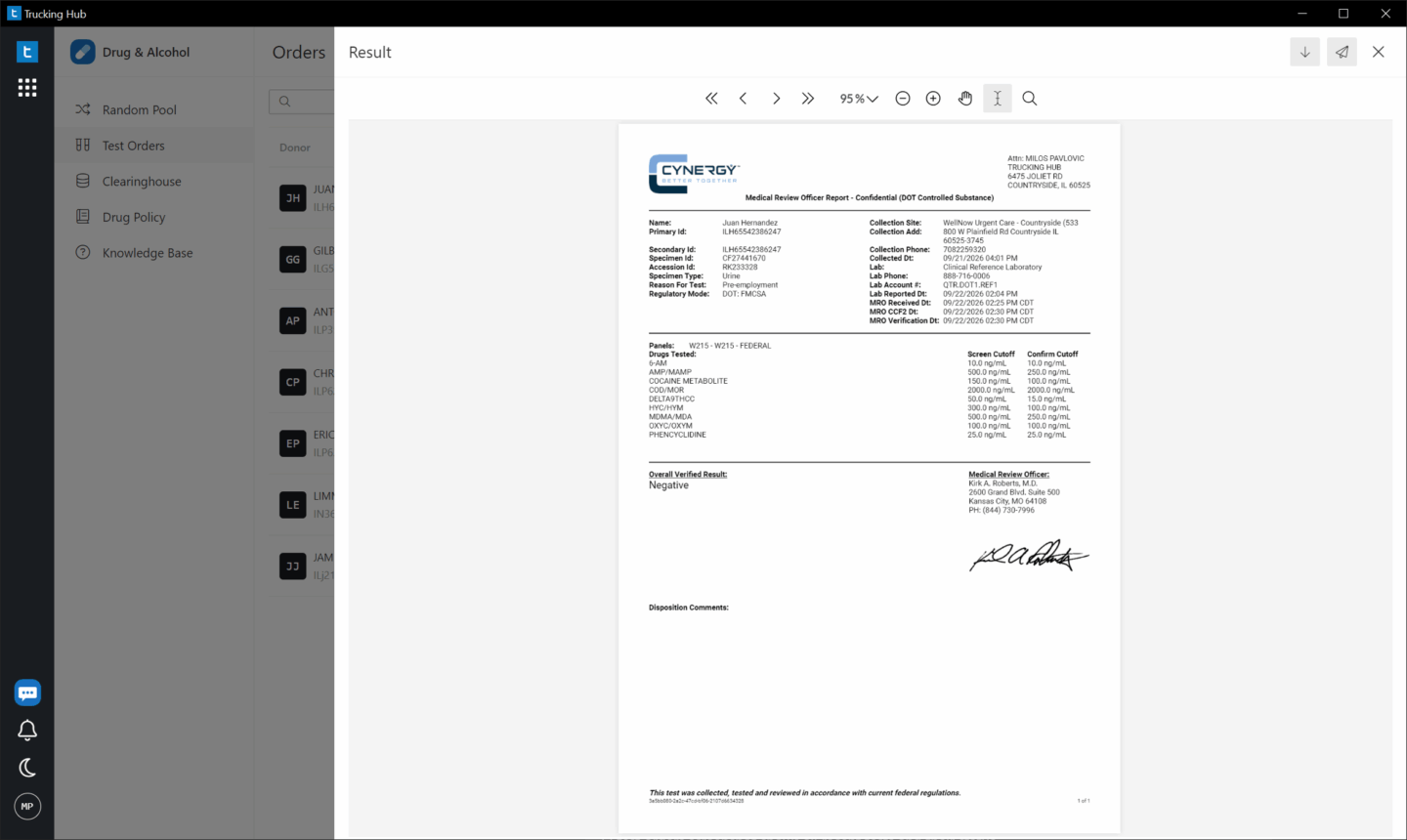
You'll receive an email notification when results are available, and you can check the platform at any time for the latest status.
Ordering a Drug or Alcohol Test
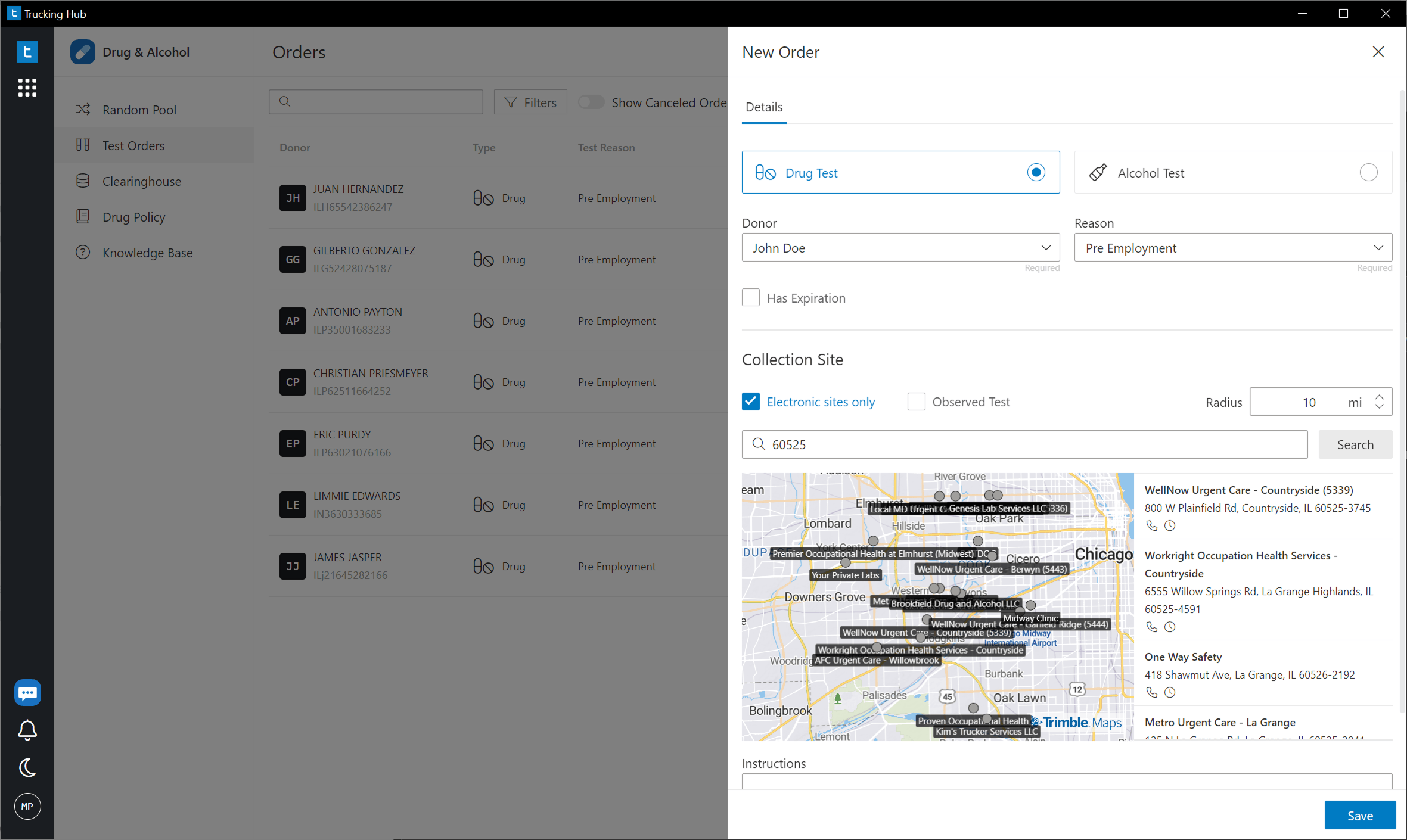
Ordering a test takes just a few steps:
That's it! Your test order is created, and you can manage it directly from the platform.
Our nationwide network includes 24,000+ collection sites, making it easy to find a convenient testing location.
3. Clearinghouse
The Clearinghouse section helps you manage FMCSA Drug & Alcohol Clearinghouse queries without having to switch between different systems.
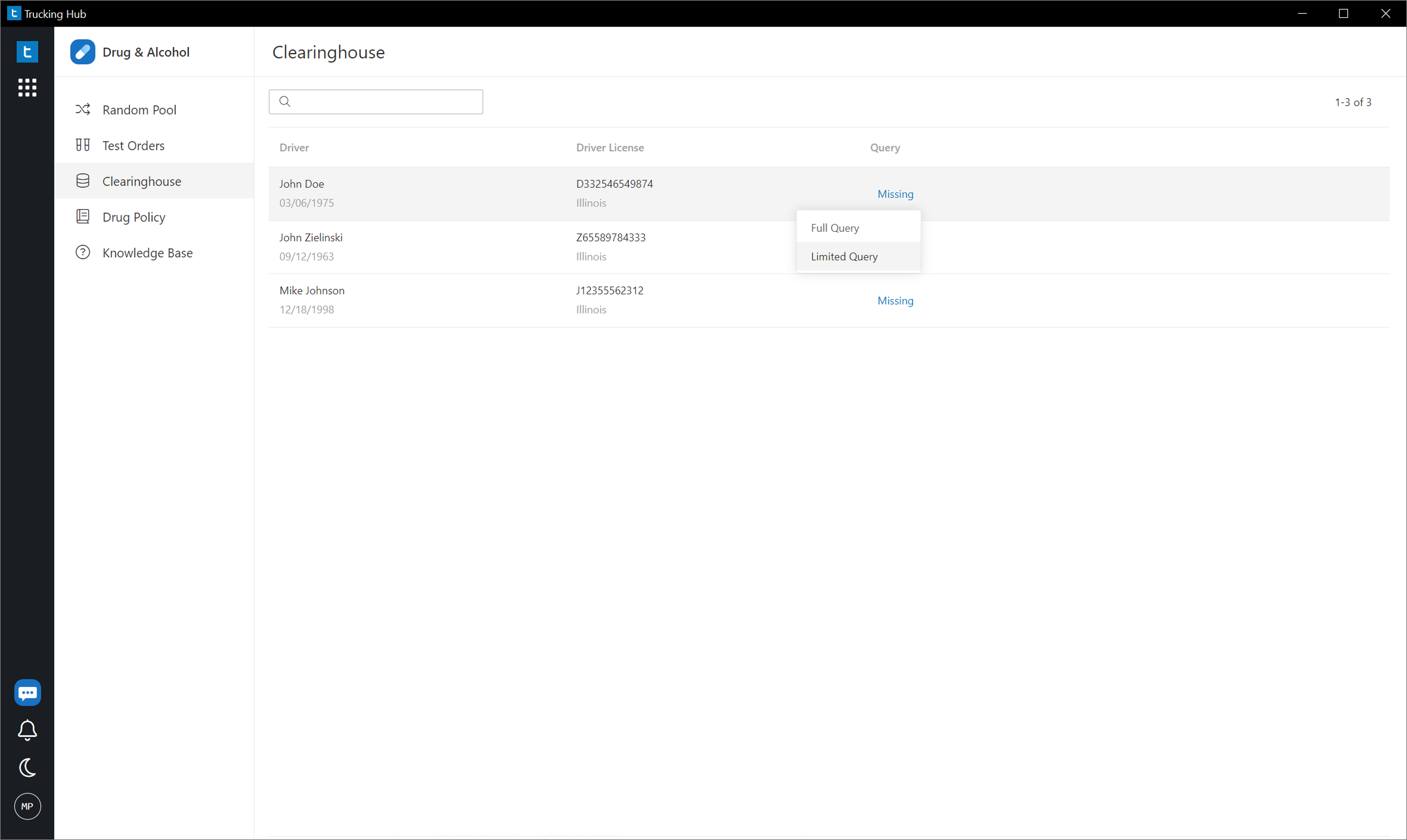
Manage Driver Queries
You can view your drivers and order Clearinghouse queries directly from DOT Consortium.
Two query types are available:
Automatic Annual Queries
One of the biggest benefits of using the integrated Clearinghouse service is automated annual query management. Instead of manually tracking when each driver needs another query, the platform helps keep annual checks on schedule.
Pricing: Clearinghouse queries ordered through our platform cost an additional $5 per query. This service is optional. You can always order queries directly through the FMCSA Clearinghouse if you prefer to avoid our additional fee.
4. Drug Policy
Every DOT Consortium enrollment includes access to a comprehensive DOT Drug & Alcohol Policy, customized with your company information. Click Drug Policy in the navigation menu to view your policy directly in the app:
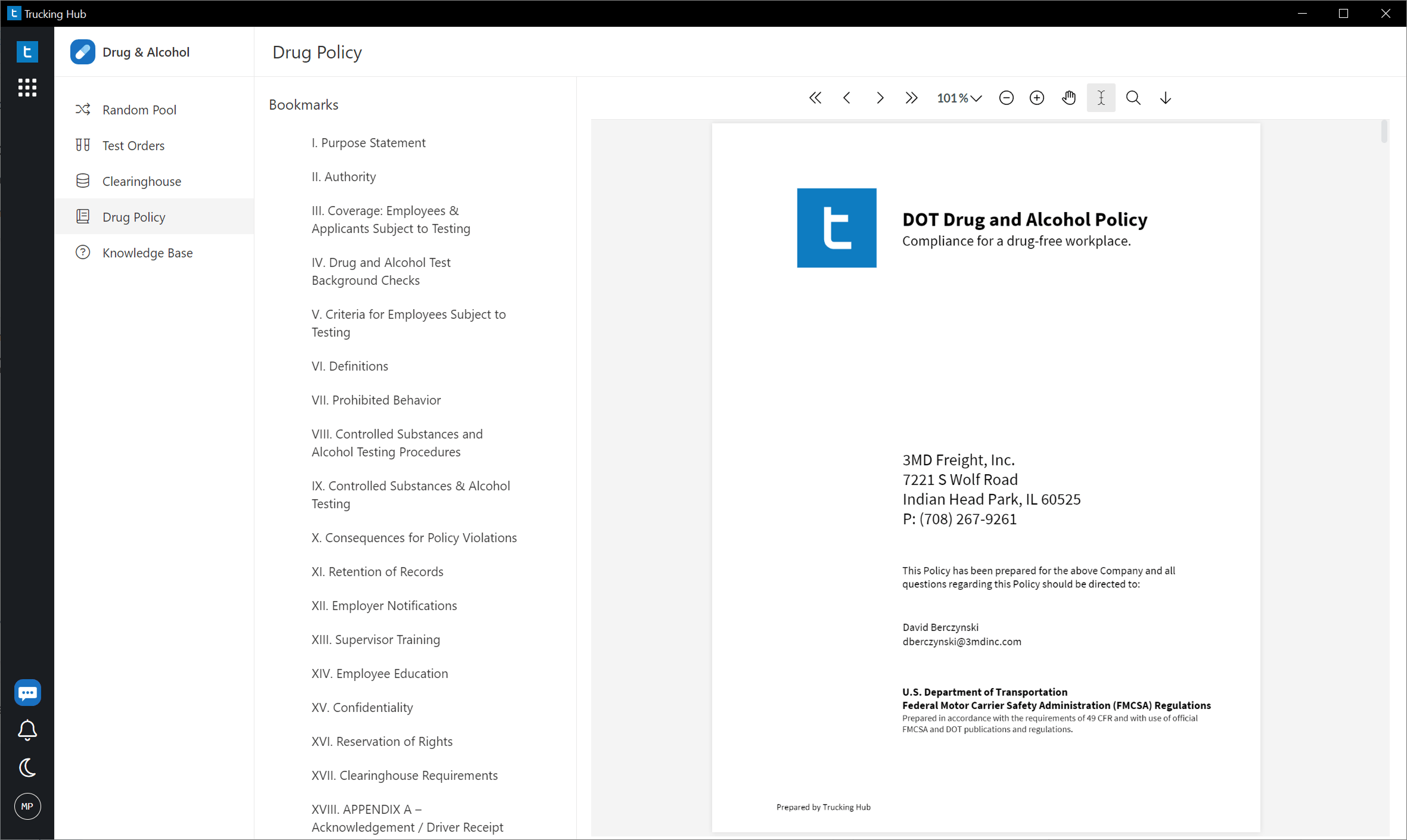
Your policy outlines important DOT drug and alcohol testing requirements, including prohibited conduct, testing procedures, employee responsibilities, and consequences of violations.
You can review, download, and share the document with your drivers as needed.
5. Knowledge Base
The Knowledge Base provides helpful guides, compliance information, and training resources to help you understand your DOT drug and alcohol testing responsibilities.
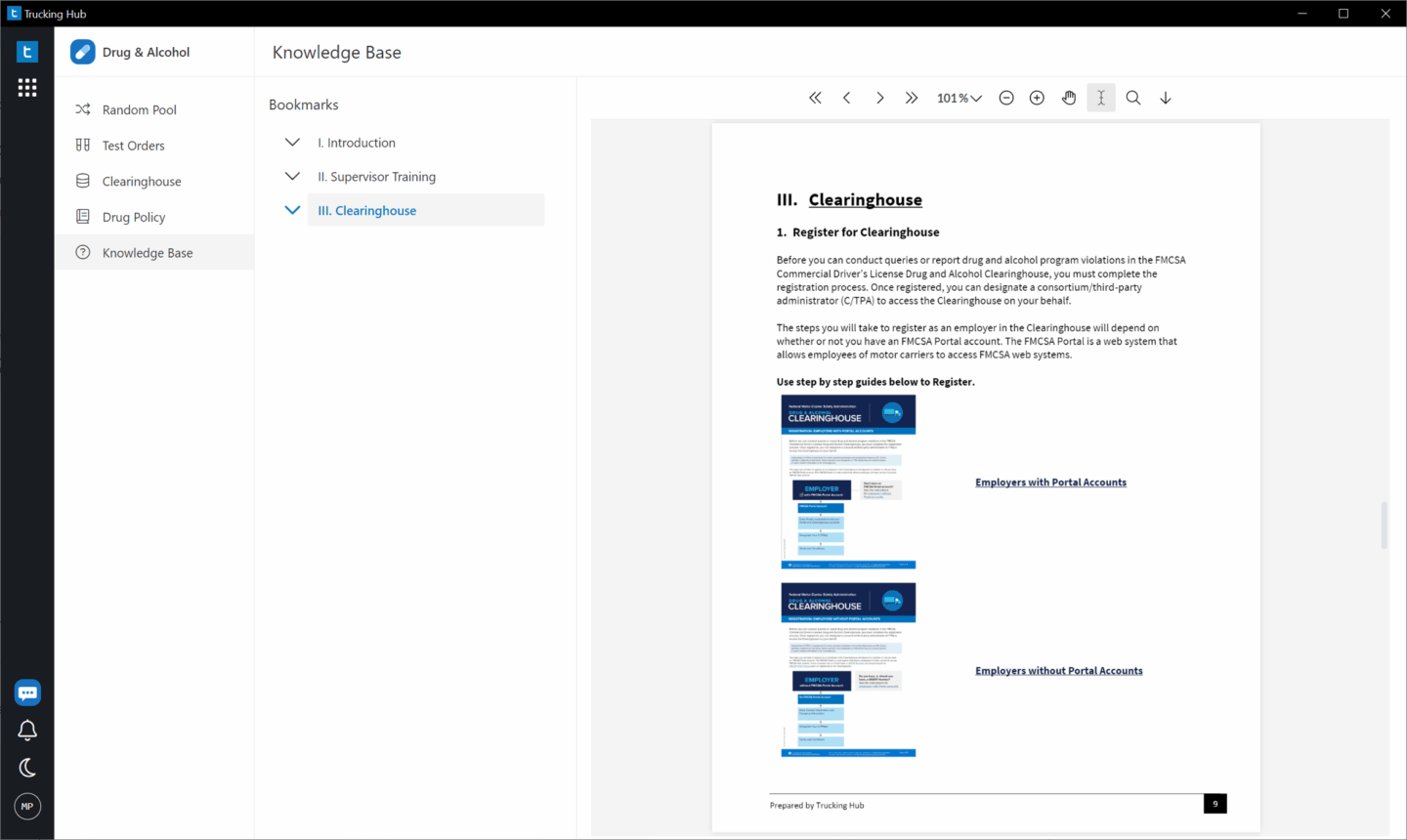
You'll find information covering:
DOT Drug & Alcohol Regulations
Learn about testing requirements, random testing programs, employer responsibilities, and other important DOT compliance rules.
FMCSA Clearinghouse
Access step-by-step instructions covering:
Supervisor Training
Find information about DOT reasonable suspicion training, including access to a free two-hour supervisor training course. You can also read our DOT Reasonable Suspicion Training Guide for additional guidance.
You're Ready to Get Started!
DOT Consortium brings your drug and alcohol testing program into one easy-to-use platform. From adding drivers and ordering tests to managing random selections, Clearinghouse queries, and compliance documents, everything is accessible from your account.
We recommend starting with these three steps:
Need assistance? Email us at compliance@dotconsortium.com and our team will be happy to help.